Scenes
Your live view with a slow zoom, or a whole Director project. Drag the edge of a scene to change its length.
Video Creator
Put your fractals on a timeline, cut them to your music, write on them, and export a video ready to post — vertical, square or wide.
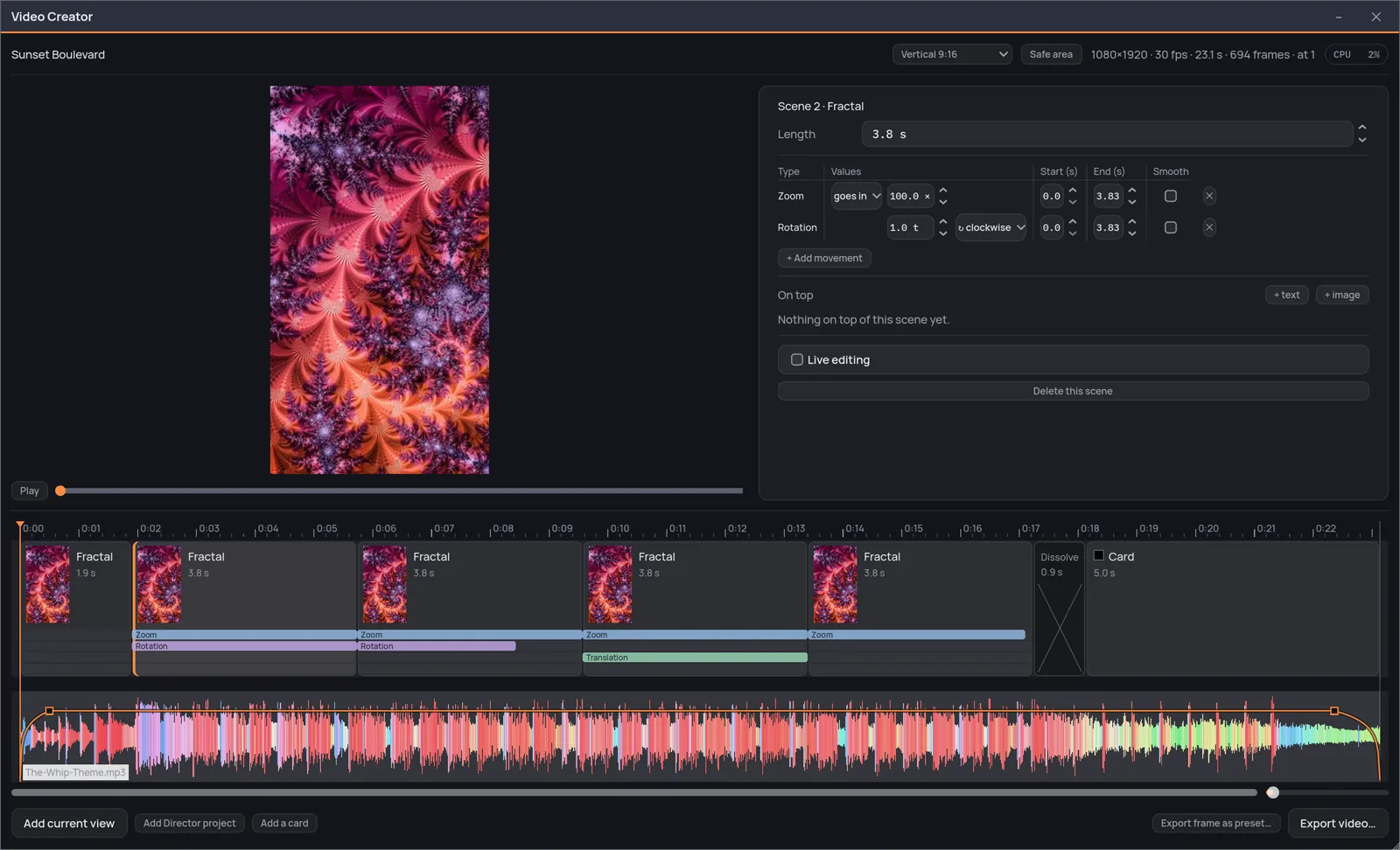
The Video Creator. The preview at the top left, the scene you picked beside it, and underneath the timeline: scenes, transitions, the bands of the movements, and the music.
On the timeline
Your live view with a slow zoom, or a whole Director project. Drag the edge of a scene to change its length.
Text and pictures over any scene, each with its entrance and its exit. A PNG keeps its transparency.
Words on a plain background between one scene and the next: a color, a gradient from the fractal, or an image. Save one to the library and use it again.
Tap the beat while the track plays, and the scenes snap to it.
A cut through a color taken from the picture, a dissolve, or one fractal turning into the next.
Zoom in, in and back, a dive from minibrot to minibrot, rotation, drift, the color flowing along the ramp — each with its own start and end.
Ready to post
Vertical, square or wide
Switch the shape whenever you like. A guide shows the safe area of every platform.
Looping preview
At the video's own frame rate, with its music.
Export frame as preset
Any frame of the video goes back into your presets, ready to explore.
Export video
For shorts, reels and wide screens, on macOS and Windows.
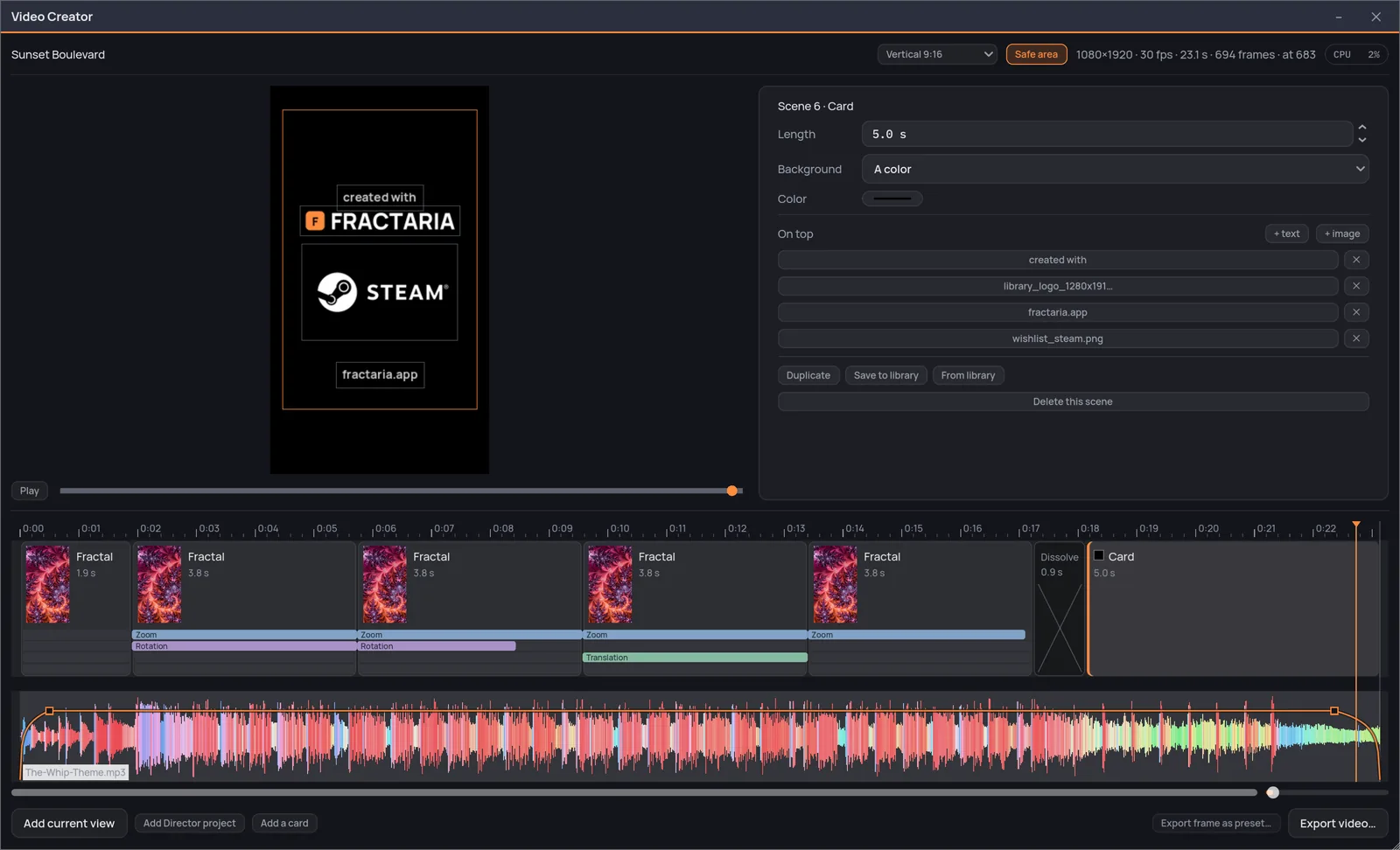
The closing card, with the safe area on: titles and images over a plain background, and the orange frame that every platform leaves clear.
One purchase, everything included — the Director and the Video Creator too, not a tier above them. No subscription: every fractal, every palette and every export size, from the first run.
macOSWindows
Add Fractaria to your wish list to receive updates, news about the release date, and much more.