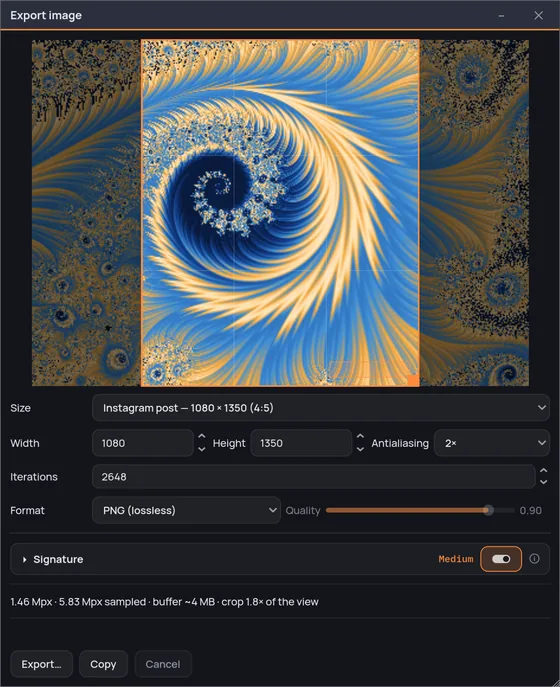
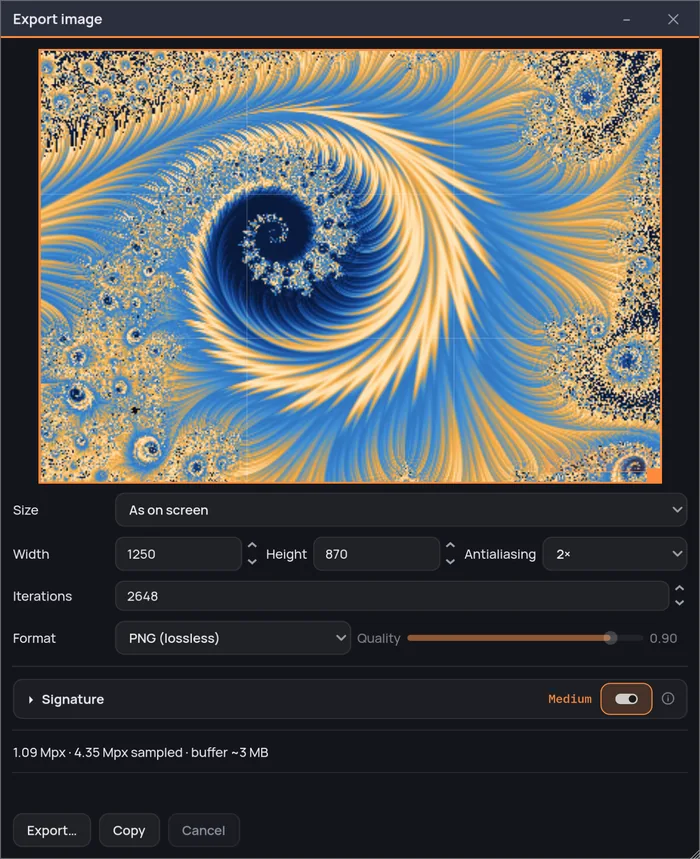
What comes out
A real render, every time.
The export is not the screen image scaled up. The whole frame is
computed again at the size you asked for, which is why a filament that was one
soft pixel on screen arrives as a drawn line at 61,440 pixels on the long side.
The iteration ceiling is the engine's
Not a lower copy of it left behind in the export window. What you
can ask the export for is exactly what the renderer can do, so a deep view does
not quietly lose its detail on the way out.
You can call it off
A big export takes as long as it takes, and while it runs there
is a progress bar and a Cancel that stops it where it is and writes
nothing.
Up to 64K
From a 1080-pixel post to Landscape — 61440 × 34560 (64K),
the largest entry in the size menu.
Three formats, four choices
PNG when it has to be lossless, JPEG when it has to be opened by
anything, and WebP twice — lossless, which does the PNG's job in less space, and
lossy. The quality slider only means something on the two lossy ones: with PNG
and WebP lossless it dims and stops taking input.
The file is not the only way out
Export… writes the file. Copy puts the same image
on the clipboard — same framing, same size, same signature — with no file and no
dialog. If the system will not take it, it says so instead of failing quietly.
A signature, if you want one
Your own text, stamped in a corner of the file you save and
nowhere else — not in the live view, not in the thumbnails. It is off until you
turn it on, and its three sizes are fractions of the image height, so it weighs
the same on a 1080-pixel post and on an 8K frame.