Fractal
Which family you are in, and the parameters that family takes — degree, exponents, constants, thresholds. The panel builds itself around whichever one you chose, so a family is a whole shelf of shapes rather than one picture.
The App
The whole studio is arranged around the picture. Open a fractal, explore it, edit it, save it, export it — and never once leave the place you are working.
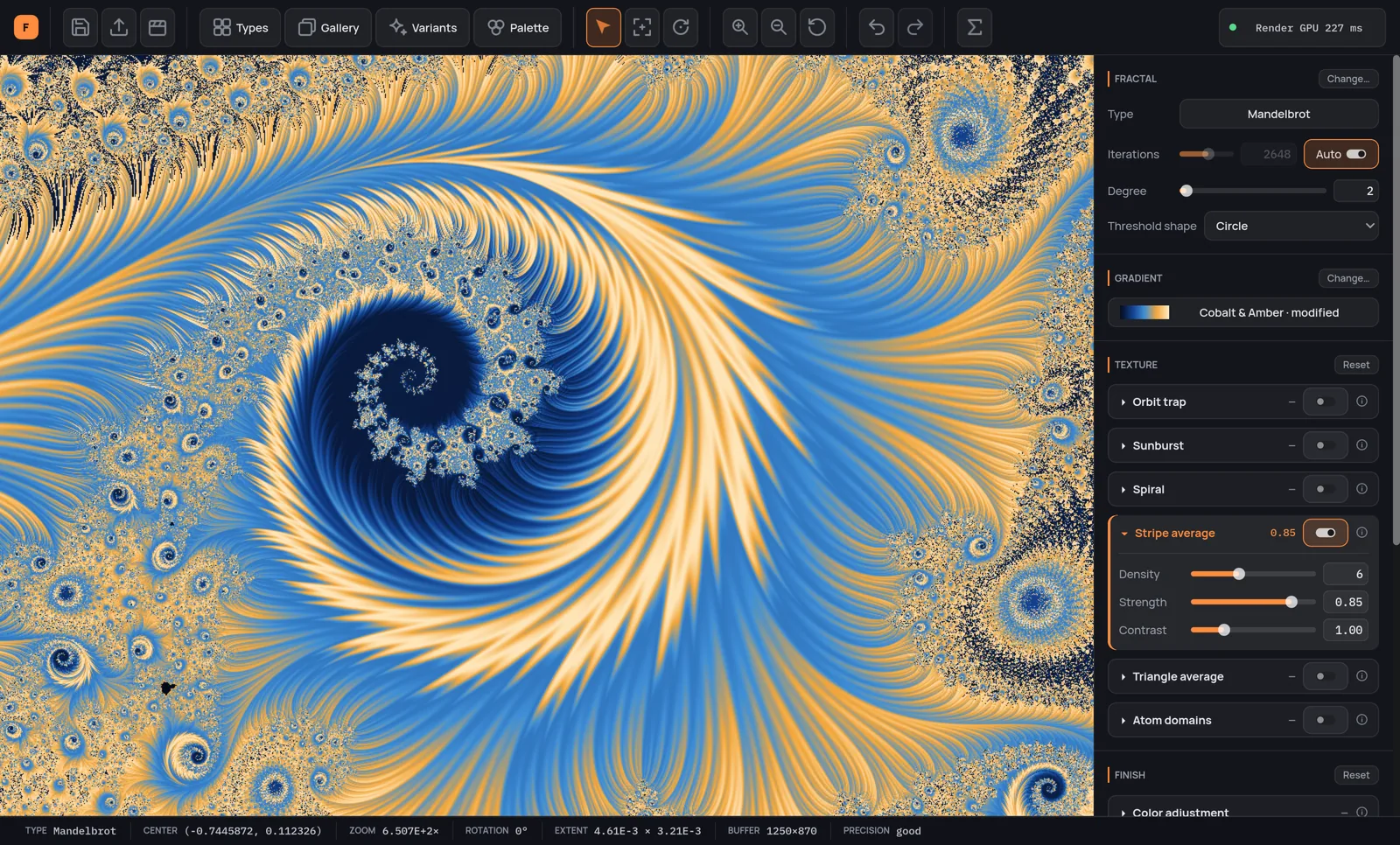
This is the actual application, not a mockup. Every fractal and every screenshot on this site was rendered or captured by it.
The right-hand side
Unleash your creativity without leaving the main window. All the creative tools are in the sidebar or just a click away.
Which family you are in, and the parameters that family takes — degree, exponents, constants, thresholds. The panel builds itself around whichever one you chose, so a family is a whole shelf of shapes rather than one picture.
The ramp, its stops, the color of the points inside the set, and the three spaces the ramp can blend in — RGB, HSV and LCH. Change any of them and the image is already different: nothing is recalculated, the ramp is baked once and the picture recolored from what is already in memory.
Many ways of measuring the same orbit, and each draws a different picture: where it passed and how densely, the direction it is seen from at infinity, how it wound around and how sharply it turned, when it came closest to home. Tiles lay patterns over it, shaped by the fractal itself. Each has a switch of its own, and they blend — turn one off and it remembers where you had it.
The last hand over the image, in two sections, because that is where the engine splits too. Finish still reads the fractal: brightness, contrast, gamma and saturation laid over the palette, relief and material lighting the escape field like a surface, striations running along it, glow and sparks bleeding light out of the frontier, the ink stroke along the edge of the set, hatch cutting it, and the chart drawing the polar grid of the outside — equipotential rings and external rays, crossing at right angles from the frame right up against the set. Print never looks at the fractal at all, only at the finished picture: the halftone screen reprints it, vignette and grain give it the weight of something printed.
Easy mode · Power mode
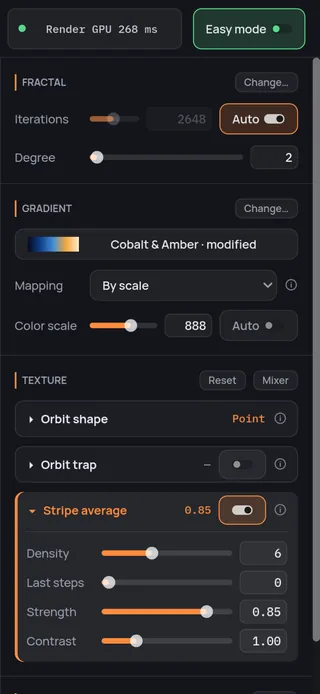
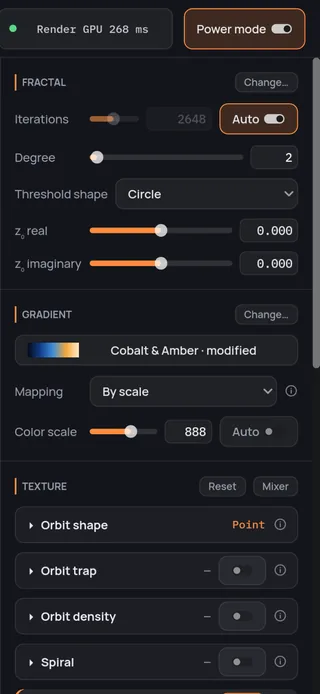
Easy mode keeps only what you need for a beautiful picture in a few clicks. Power mode opens every control in the program. One click on the switch at the top of the window, and your picture stays exactly as it is.
And the rest of it
Nothing you do is final
Undo and redo cover the exploring too, not just the settings — so you can dive somewhere, decide it was wrong, and step straight back out. A hundred complete states, each one the whole picture rather than the last knob you touched, and they survive quitting: reopen the program tomorrow and the way back is still there. The three color panels also reset on their own — texture, finish, print, one button each — without taking the rest of your work with them.
A save keeps everything
The view, the parameters, the palette you edited — copied in, not linked, so changing it later cannot touch the file — the textures, the finishes and the adjustments you made. If the fractal is built on a formula you wrote, the file carries the formula text with it, so whoever opens it on another machine can actually draw it. It holds no image at all: the picture is recomputed when you open it, and the thumbnail you recognize in the grid a month later is a separate PNG baked beside the file.
It speaks your language
English and Italian, switched while you watch, no restart. Fractal, palette and preset names stay as they are — they are proper names, and they travel.
It measures this machine, and stops there
A first pass at startup costs milliseconds and only asks what is there — processor, cores, vector width, graphics card, driver. Then, when you ask for it, a bench of about a minute measures every way of calculating on this machine, family by family, and hands you the table; stop it partway and what it already measured is kept. It changes nothing by itself: which engine does the work stays your choice, one click away on the render pill above the picture.
One purchase, everything included — the Director and the Video Creator too, not a tier above them. No subscription: every fractal, every palette and every export size, from the first run.
macOSWindows
Add Fractaria to your wish list to receive updates, news about the release date, and much more.