Dozens of fractal families, and one gesture to get lost in them.
Scroll to zoom into whatever is under the cursor. Drag to pan — one button
on the toolbar turns the same drag into a rotation. Hold the right button over a
Mandelbrot and a live preview of the Julia set at that point follows the cursor: let go
and you are in it.
The shelf
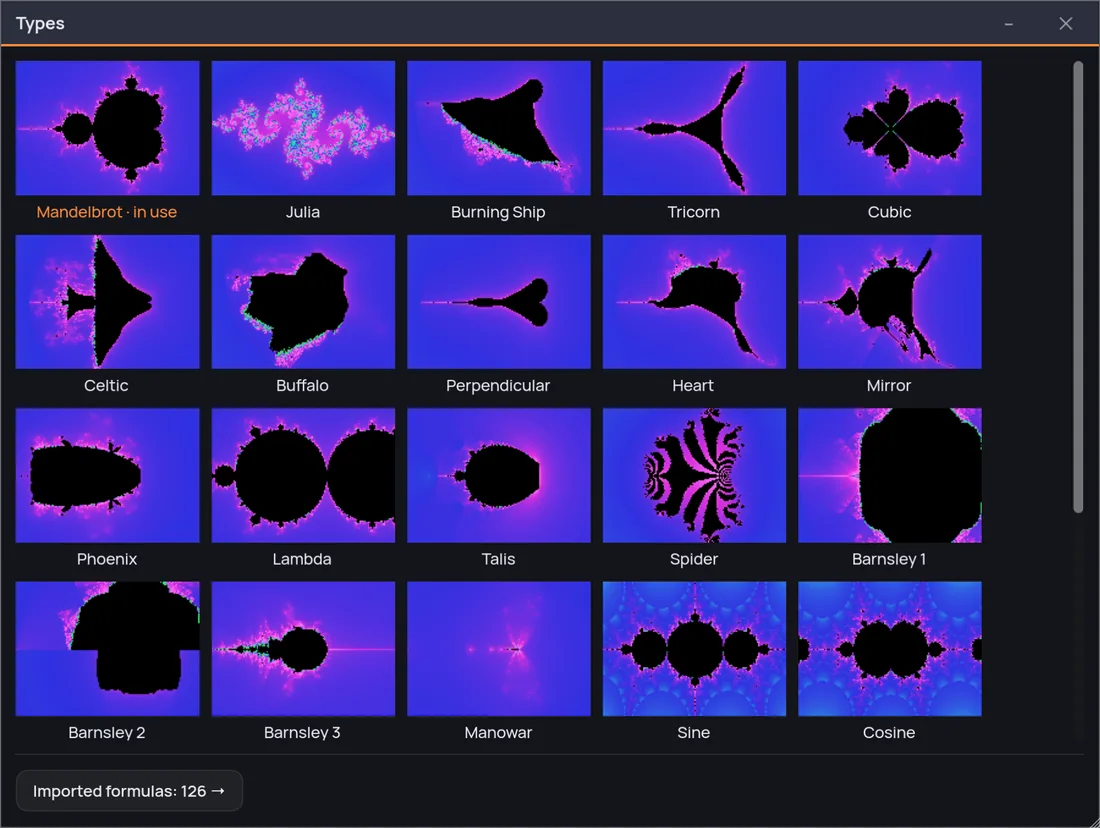
A family is not a picture.
Every family takes parameters — degree, exponents, constants,
thresholds — and the panel rebuilds itself around whichever one you are in. So
each of the names below is a shelf of shapes, not a single image.
The family picker. Every thumbnail is that family drawn by
Fractaria — not an icon of it — each in the ramp that shows its shape best, so no two
families arrive wearing the same color.
How you move
Four gestures, and the toolbar for the rest.
Scroll to go deeper
The zoom happens around the cursor, not the middle of the window, so the thing you
were looking at stays where you were looking at it. Keep going: on most of the
families, when ordinary double precision runs out the engine switches by itself to
arithmetic that measures the distance from a reference orbit. The rest stop where
double stops — and either way the status bar says where the precision stands, down
to the words AT THE LIMIT.
Zoom on the pointer · no dialog in the way
Drag to move, and to turn
Pan by dragging. Switch the pointer to Rotate — one button on the toolbar — and the
same drag turns the whole plane; one turn and it hands the pointer back, because
straightening a picture is something you do once. The frame you export is the frame
you set, rotation included.
Pan · rotate · the export follows the view
Right-click for the other world
Every point of a Mandelbrot is the address of a whole Julia set. Hold the right
button and a live preview of that Julia follows the cursor while you hunt for the
constant you like, with a dot on the point it is drawn from. Let go and it opens on
that point; press Esc while you hold and nothing changed.
Map ⇄ Julia, on the point you chose
And back out again
Undo covers the exploring, not only the settings: the history keeps a hundred states
— where you have been as well as what you changed — and a continuous zoom lands in it
as one step instead of one per frame. It is written out when you quit, so yesterday's
steps are still there. And from inside a Julia there is a shorter way home: M puts
you back on the map you came from, at the exact frame you left.
A hundred steps back · still there after a quit
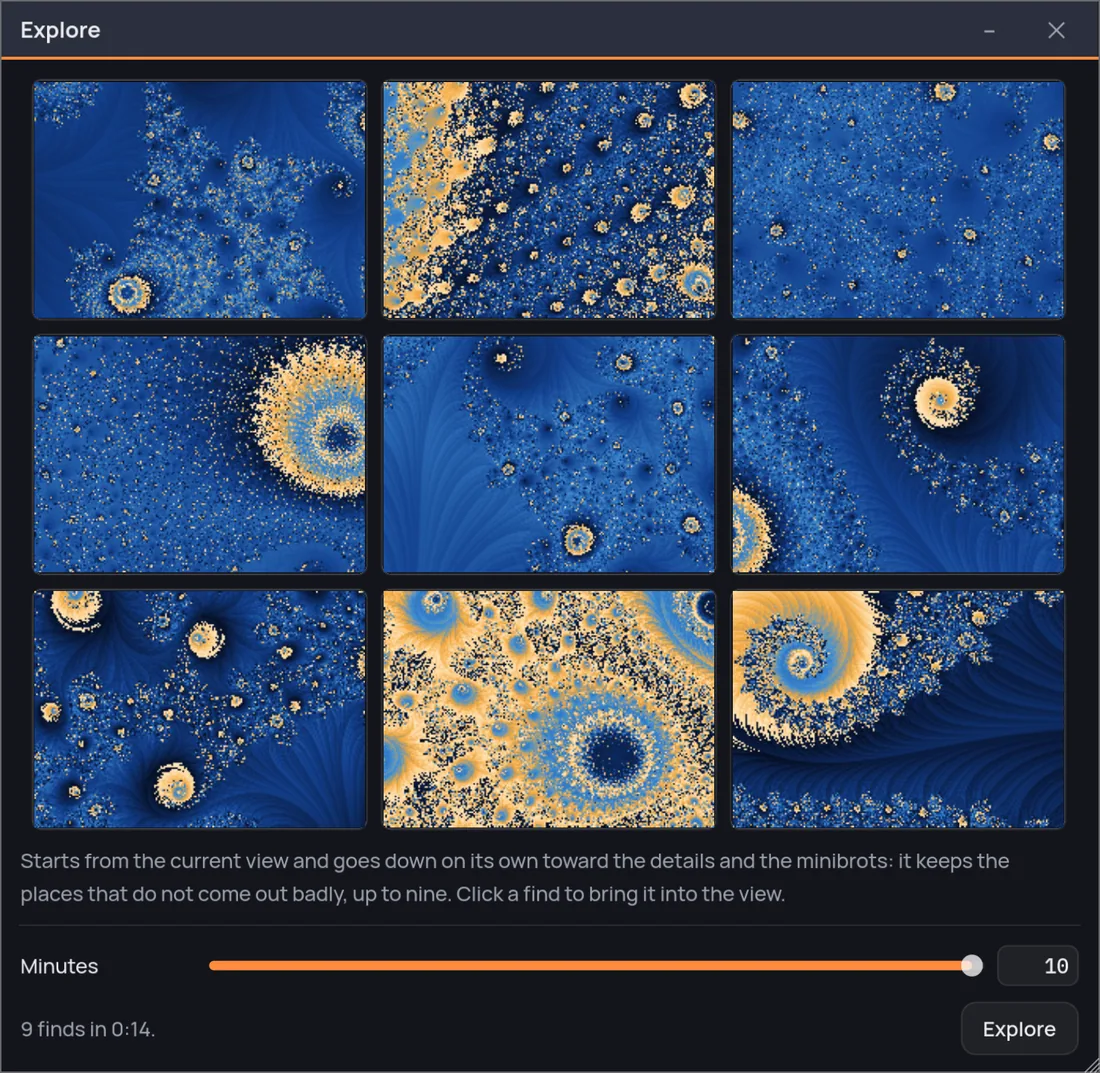
Explore from here
Let Fractaria go down for you.
Explore from here sets off from your view toward the details and
the minibrots on its own, and keeps the finds worth a second look — up to nine.
Click one and it is your view.
Land on a minibrot
Put a minibrot inside the sight and click: the view goes to its
center and frames it whole.
Exploring tools
Seven ways to see where you are.
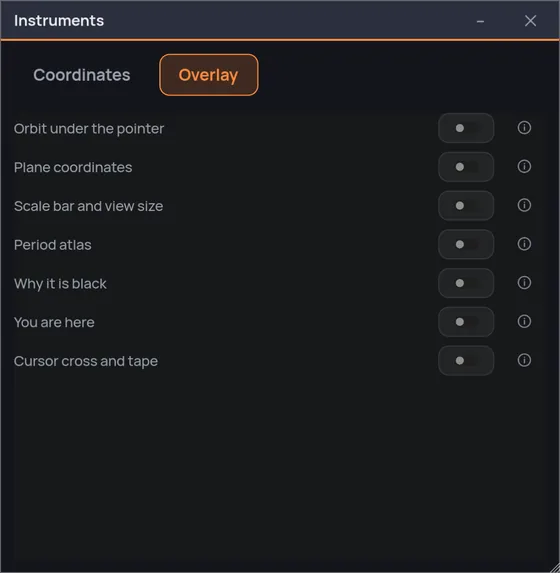
Deep inside a fractal every view looks like it could be anywhere. The
Instruments window (Cmd/Ctrl+K) is where you find out where you actually are:
one tab of numbers you can read and rewrite — the center, the zoom, the
rotation, the two corners the view runs between — and one tab of seven overlays that
draw on top of the picture without touching what you export. Every one of them is a
switch, and every one is off until you ask.
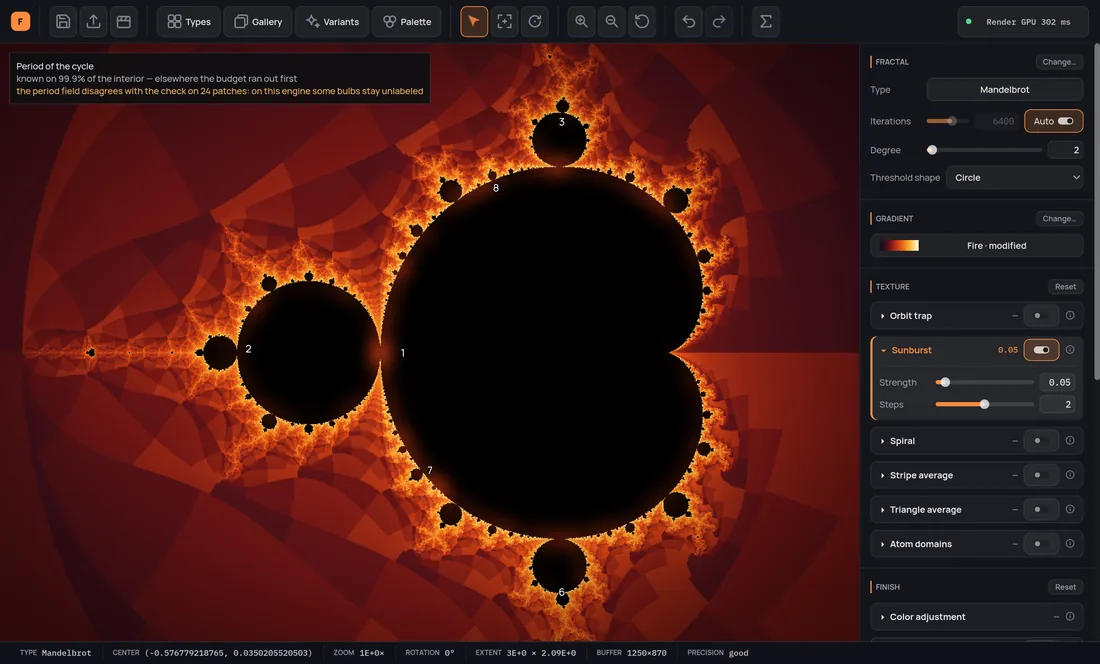
The period atlas writes on each bulb the period of the cycle
inside it, which is the closest thing a fractal has to a street map: the numbers tell
you what kind of spiral is down each road before you go. You are here puts a
small map in the corner with the opening view and a mark on where you are looking, for
when the zoom number has stopped meaning anything. Cursor cross and tape reads
out the point under the pointer rather than the center of the view, and orbit under
the pointer draws the sequence that point actually walks — which is the difference
between looking at a fractal and watching one being made.
The atlas over a live view, and the drawer it comes out of. Overlays
never touch what you export — and the atlas writes no number a second pass could not
confirm, which on a graphics card leaves some bulbs blank. A third line in the caption
says so when it happens.
Fractal art, made easy.
One purchase, everything included — the Director and the Video Creator
too, not a tier above them. No subscription: every fractal, every palette and every
export size, from the first run.